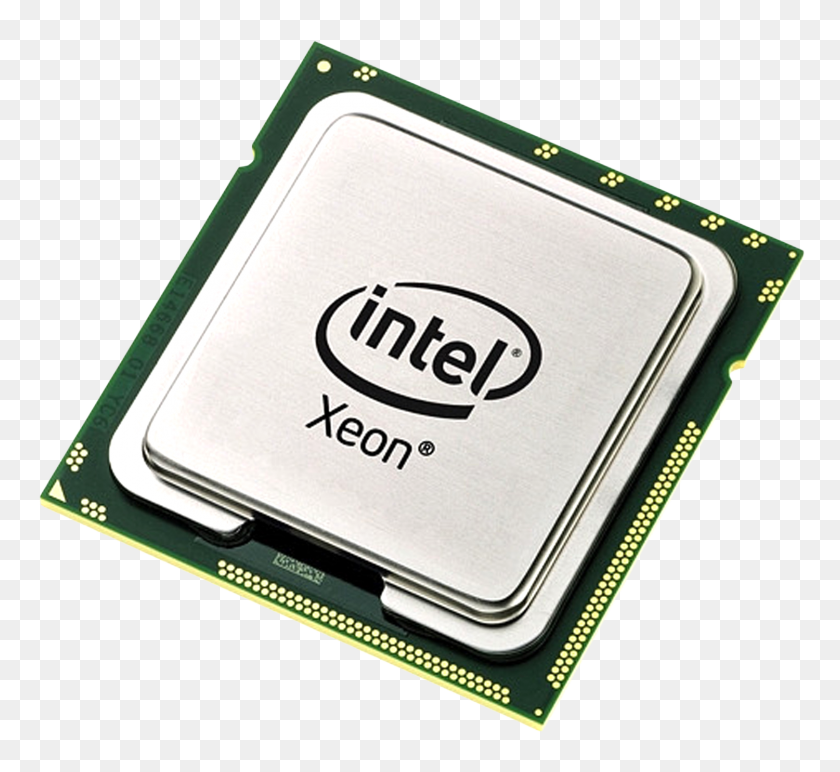
CPU – Central Processing Unit
Executes calculations and instructions from all programs. It defines the overall speed of the system.
This website was created for the subject “English for IT”. It explains what computers are, how they work, which parts are most important and presents a basic glossary of IT terms.
The goal is to practice writing and communication in English, using topics from information technology.

Short explanation of the basic idea of a computer, in clear English.
A computer is an electronic machine that receives data, processes it and produces information. It follows instructions called programs to solve problems and perform tasks. Today, computers are everywhere: desktops, laptops, smartphones, cars and even home appliances. They help people work faster, communicate easily and store large amounts of data.

Simple description of the input–process–output model and the role of instructions.
Computers work by following a sequence of instructions, step by step. First, the user or another system sends input, such as keyboard presses, mouse clicks or data from the network. The processor executes machine instructions, using memory to store data and intermediate results. Finally, the computer sends output to a screen, printer, speakers or another device so the user can see or use the result.
A very short chronology of how computers evolved, from large machines with vacuum tubes to modern personal computers and mobile devices.
During the 1940s, the first electronic digital computers were built using vacuum tubes. Machines like early code-breaking systems were extremely large and expensive. They were mainly used by governments and the military for secret communications and scientific calculations.
In the 1950s, transistors started to replace vacuum tubes, making computers smaller, faster and more reliable. Large mainframe computers were installed in universities and big companies. Users interacted with them using punched cards and printers.
The invention of integrated circuits allowed many electronic components to be placed on one chip. Computers became more powerful and started to support multiple users at the same time. Early computer networks and operating systems appeared in this decade.
In the 1970s, the microprocessor was created, putting the CPU on a single chip. This made it possible to build the first personal computers. Computers slowly moved from laboratories to homes and small offices.
The 1980s saw the rise of personal computers with graphical user interfaces and a mouse. Computers became easier to use for non‑experts. Many classic office and gaming applications were created in this period.
In the 1990s, the World Wide Web and web browsers appeared and spread quickly. More people connected their PCs to the internet at home and at school. Email, websites and online services started to change how people communicate and work.
During the 2000s, laptops became common and wireless networks spread. Mobile phones became more powerful and started to include computer functions. People began to access the internet anywhere, not only on a desktop PC.
In the 2010s, smartphones became the main computer for many users. Cloud computing allowed data and applications to run on remote servers. Social networks, streaming services and mobile apps became part of daily life.
In the 2020s, computers are integrated into almost every device. Artificial intelligence helps with recommendations, translation and automation. Small powerful computers and smart sensors connect to the cloud and form the Internet of Things.
Short text about the “brain” of the computer and cards for the main hardware parts.
Many people say the most important part of a computer is the CPU, or central processing unit. The CPU is often called the “brain” of the system because it executes instructions and controls most operations. It affects how fast programs run and how many tasks the computer can perform at the same time. However, other components like memory, storage and the power supply are also essential, because the CPU cannot work without them.
Executes calculations and instructions from all programs. It defines the overall speed of the system.
Temporary memory that stores data and programs while they are running. More RAM allows more applications to stay open at the same time.

Stores the operating system, programs and user files. SSDs are faster and more reliable than traditional hard drives.

Renders images, videos and games. Important for gaming, design and some AI tasks.
Converts electricity from the wall into safe power for computer components. Needs enough wattage for all parts.

Includes fans and heatsinks that remove heat from the CPU and other parts. Keeps the system stable and quiet.
A basic glossary with more than twenty IT terms, short definitions and icons. It can be used as support for the presentation.
| Term | Definition | Image / Icon |
|---|---|---|
| Computer | Electronic machine that processes data and produces information. |  |
| Hardware | Physical parts of a computer system, such as CPU, RAM and disk. |  |
| Software | Programs and applications that run on a computer. | |
| CPU | ..Central Processing Unit; main chip that executes instructions. |  |
| RAM | Random Access Memory; fast, temporary memory used while programs run. |  |
| Storage | Devices such as SSDs or hard drives that keep data permanently. |  |
| Motherboard | Main circuit board that connects and powers all components. |  |
| Power Supply (PSU) | Component that provides electrical power to the computer. |  |
| GPU | Graphics Processing Unit; handles graphics and video tasks. |  |
| Operating System (OS) | Main software that manages hardware and other programs, for example Windows or Linux. |  |
| Application | Program designed for a specific task, such as a browser or text editor. |  |
| Network | Group of connected devices that share data and resources. |  |
| Internet | Global network that connects millions of computers and devices. |  |
| Server | Computer that provides services or resources to other computers on a network. |  |
| Client | Device or program that requests services from a server. |  |
| Database | Organized collection of data that can be searched and updated efficiently. |  |
| Firewall | Software or hardware that filters network traffic to protect systems from attacks. |  |
| Encryption | Process of converting data into a secret code to protect it from unauthorized access. |  |
| Protocol | Set of rules that define how data is transmitted between devices on a network. |  |
| Cloud Computing | Using remote servers on the internet to store data and run applications. |  |
| Backup | Copy of data stored in another place to prevent loss. |  |
This website was developed as a group project for the subject “English for IT”. The objectives are to practice technical English, improve writing skills and explain basic IT concepts. The content includes four short texts about computers, a simple history timeline and a small glossary that can be used during the class presentation. Some icons are from free icon websites such as Flaticon.